
 Table of Contents
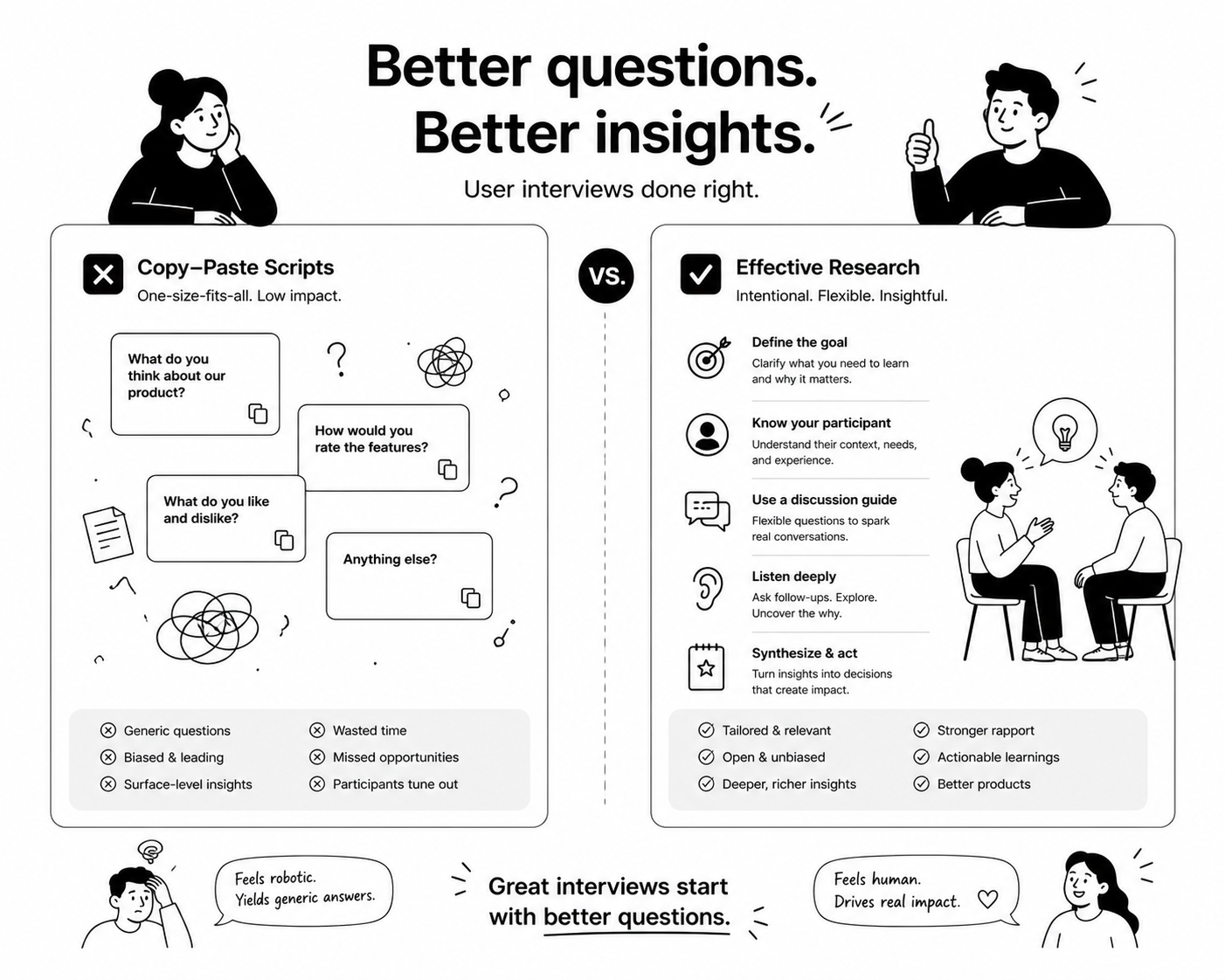
I've watched more research programs die from bad templates than from bad questions. That sounds backwards, but stick with me. A team finds a "proven" 20-question user interview template online, copies it word for word, runs it on 15 customers, and walks away with 15 transcripts full of polite nonsense. Nobody lied. The template just wasn't built for their product, their stage, or their actual research question. It was built to look complete on a blog post.
After a decade of running interviews for SaaS companies, agencies, and internal research teams, I've come to believe the template itself matters less than most people think. What matters is the structure behind it: the sequence of question types, the logic that moves someone from small talk to specific memory, and the discipline to cut anything that doesn't serve the research goal. A good template is a skeleton, not a script. This post is about building that skeleton so you're not starting from a blank doc every time, and not blindly trusting a generic list either.
Most user interview templates you'll find are organized by topic: "warm-up questions," "product questions," "pricing questions," "closing questions." That structure feels logical, but it optimizes for coverage instead of insight. You end up with a document that looks thorough and produces answers that are thorough in the same shallow way. I once inherited a research program where the previous team's template had 34 questions across 6 sections. Every interview ran 90 minutes and produced almost nothing usable. The problem wasn't the topics, it was that every question asked people to generalize: "How do you usually approach this?" "What do you typically look for?" People don't have honest answers to typical. They have honest answers to last Tuesday.
The fix isn't a better list of questions. It's a template built around specificity: getting people to recall one real instance and walk through it in detail, rather than theorize about their general behavior. That single shift changes everything about how you should structure a template.
The most useful thing you can build isn't one template, it's a question bank organized by research goal, then you assemble a lean template from it for each project. If you're mapping the full customer journey, from awareness through renewal, you need different question types at each stage. I keep a running reference built around this logic, and the most complete version of it I've put together covers 50+ customer interview questions organized by stage of the customer journey, so you're not reusing onboarding questions for a churn interview or vice versa. The mistake teams make is grabbing 10 questions from a discovery template and 10 from a satisfaction template and mashing them into one interview. The respondent gets whiplash. Pick the stage you're actually researching, pull only from that stage, and resist the urge to "cover everything while we have them on the phone."
A common template mistake is organizing by who you're talking to (enterprise buyer, end user, churned customer) instead of what you're trying to learn (usability friction, willingness to pay, feature prioritization, retention drivers). Two enterprise buyers can require completely different templates depending on whether you're studying onboarding drop-off or pricing sensitivity. I built out a broader framework for this because I got tired of rebuilding templates from scratch every time a PM asked for "a quick round of user interviews." The full breakdown of 50+ proven user interview questions organized by research goal is the closest thing I have to a master template library. When a stakeholder tells you they want to "understand our users better," that's not a research goal, that's a mood. Push back until you know if it's a churn goal, an activation goal, or a pricing goal, then pull from the matching set.
Here's the part that separates templates that generate insight from templates that generate small talk: every question should be trying to reconstruct something the person actually did, not what they think, believe, or would do hypothetically. "Would you use a feature like X?" is a useless question. "Walk me through the last time you tried to solve this problem" is a useful one. I learned this the hard way early in my career, running a template full of hypothetical questions for a fintech client. Every single respondent said they'd "definitely use" a proposed budgeting feature. We built it. Usage was near zero. The template had asked people to predict their future behavior, and people are terrible at that, even with good intentions. If you want a template structure that's built entirely around eliciting real behavior instead of speculation, I laid out the full method in 21 questions that reveal what users actually do. The short version: anchor every section to a specific recent event, then follow the trail of that event with follow-up questions instead of jumping to the next topic on your list.
Every template I've ever seen leans on "why" as the default probe. Why did you choose that? Why does that frustrate you? Why is so overused it's practically a template default setting, and it's often the wrong move. "Why" pushes people into justification mode. They construct a reason on the spot that sounds logical, and you write it down as if it's the real cause. It usually isn't. I go into the mechanics of this in why "why" is often the wrong first question, but the practical fix for your template is simple: replace your default "why" prompts with "walk me through" or "what happened right before that." You get the sequence of events instead of a retrofitted explanation, and sequences are far more reliable data than reasons people invent under mild social pressure.
This connects directly to the previous point but deserves its own section because it changes how you write literally every question in a template, not just the follow-ups. Stated preference questions ("What matters most to you when choosing a tool like this?") produce answers people believe are true about themselves. Revealed behavior questions ("What tool did you actually end up using, and what made you pick it over the others you considered?") produce answers grounded in something that actually happened. I keep a dedicated set of prompts for this exact purpose, collected in user interview questions that reveal what users actually do, not what they say. When I'm building a template for a new project, I run every question through this filter before it makes the final cut: is this asking about a real event, or is this asking someone to describe their personality?
A generic user interview template also breaks down fast when the "user" you're interviewing is internal, senior, or evaluating for a role rather than a product. Two situations come up constantly that need their own structure entirely. If you're interviewing product managers, either for research or for hiring, generic questions get you rehearsed answers because PMs are trained to sound strategic in interviews. I built a template specifically to cut through that in product manager interview questions that separate real PMs from scripted ones. The core idea is forcing tradeoffs and specifics instead of letting someone describe their "process" in the abstract. If you're evaluating culture fit, most templates for this are close to worthless because they ask people to self-report their values, and everyone knows the right answer to "how do you handle conflict." I broke down what actually works in 15 cultural fit interview questions that actually work, most of which reconstruct a real past situation instead of asking someone to describe their ideal self.
Before you build or borrow a template, it helps to see the different structures side by side. Here's how I think about matching structure to situation:
| Research Situation | Template Structure | Common Mistake to Avoid |
|---|---|---|
| New feature discovery | Recent problem, current workaround, reaction to concept last | Pitching the feature before understanding the current behavior |
| Churn or win-loss | Timeline reconstruction from trigger event to decision | Asking "why did you leave" instead of walking the timeline |
| Onboarding friction | Step-by-step recall of first session, specific stuck points | Asking general satisfaction questions instead of moment-by-moment recall |
| Pricing sensitivity | Past purchase behavior and comparison shopping, not hypothetical willingness to pay | Asking "would you pay $X" directly |
| Hiring or role fit | Specific past situations with structured follow-up on actions taken | Letting candidates describe themselves in the abstract |
Notice the pattern across every row: specificity beats generality, and past behavior beats hypothetical reaction. That's the actual template, everything else is just topic dressing on top of it.
A template only pays off if you can run it consistently across dozens or hundreds of interviews without it degrading into whatever the moderator feels like asking that day. This is where most research programs quietly fall apart. The person running interview 3 asks different follow-ups than the person running interview 30, and now you can't compare across your sample. When I scaled a research operation across multiple PMs and CSMs at a previous company, we solved this by treating the template as a living document with strict guardrails on the core questions but flexibility in the probes. I documented the full operating model, from planning through analysis at scale, in the user interview playbook for planning, running, and analyzing at scale. If you're trying to run more than a handful of interviews a month, that consistency layer matters more than any individual question on your template. This is also exactly where AI-moderated interviews earn their keep. A well-built template can be run by an AI moderator with perfect consistency, the same follow-up logic every time, no fatigue by interview 40, and no moderator injecting their own assumptions into the probe. The template does the thinking up front, and the interview execution stops being the variable that ruins your data.
Stop looking for the perfect downloadable template. Build a lean one from a real research goal, anchor every question to specific past behavior, cut your reliance on "why," and treat the whole thing as a document you'll revise after the first three interviews teach you something the template didn't anticipate. That's the actual skill. The document is just where you write it down. If you want to run this kind of structured, behavior-focused interview at scale without burning your team's time moderating every single session, Usercall runs AI-moderated voice interviews built on exactly this logic, then surfaces themes linked directly to the quotes that support them. Try it on your next round of customer interviews and see how much more you get out of the same template.
