
 Table of Contents
For a full comparison of platforms beyond UserInterviews.com, our UserInterviews.com alternatives guide breaks down the top options for recruiting and running research interviews.
If you want a clean, practical breakdown, here it is (still thinking in total cost per completed interview, not just platform fees).
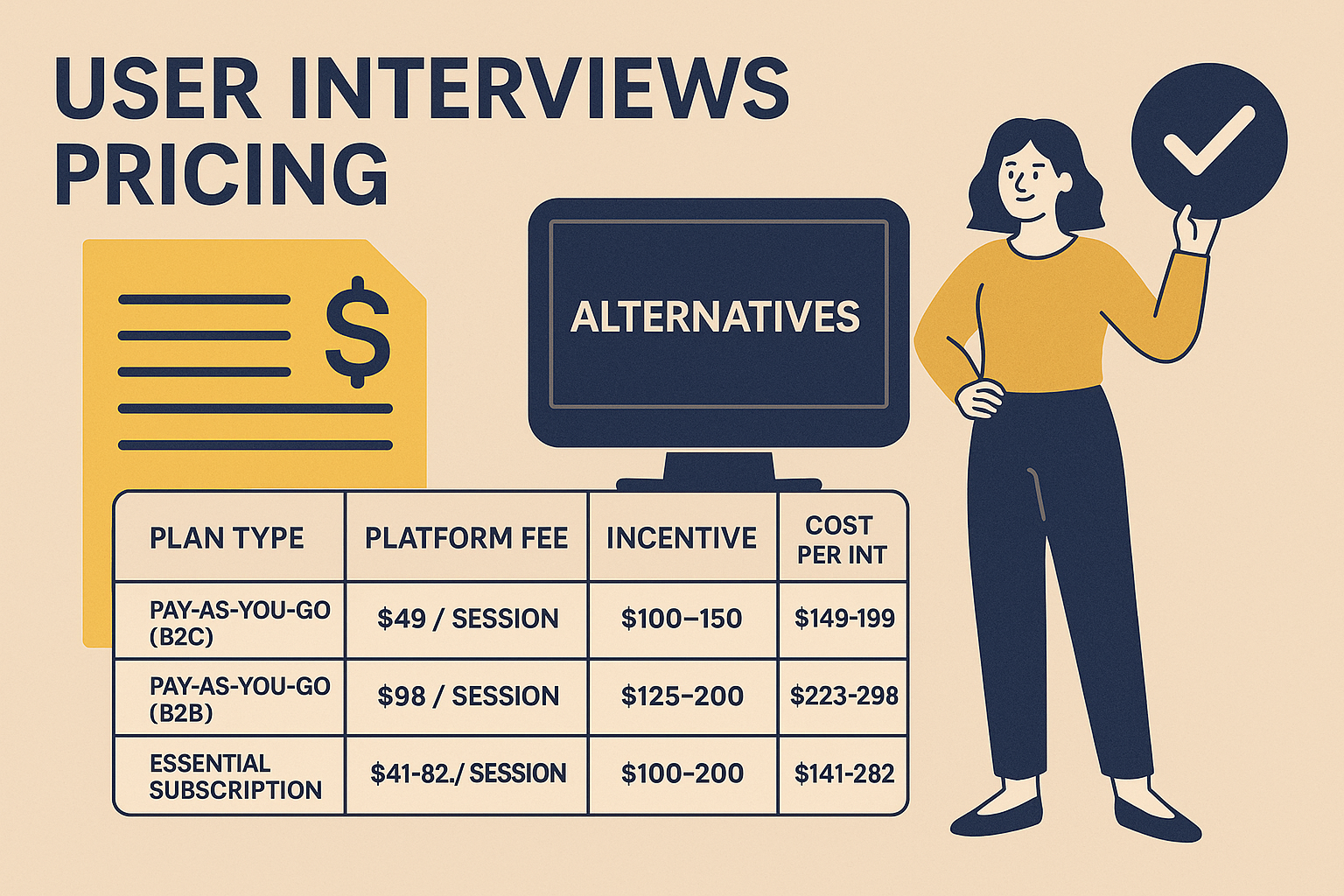
Pricing breakdown based on total cost per completed interview, not just platform fees.
| Plan Type | Platform Fee | Incentive (Typical) | Total Cost per Interview |
|---|---|---|---|
| Pay‑As‑You‑Go (B2C) | $49 / session | $100–150 | ~$149–199 |
| Pay‑As‑You‑Go (B2B) | $98 / session | $125–200 | ~$223–298 |
| Essential Subscription | $41–82 / session | $100–200 | ~$141–282 |
| Professional Subscription | $36–72 / session | $100–200 | ~$136–272 |
| Custom | Custom ($30–75 est.) | $100–200 | ~$130–275 |
These estimates assume you’re using User Interviews for panel access, screening, scheduling, and incentive handling.
The part people underestimate: platform + incentive is not your full cost. Coordination time, moderation time, transcription, and analysis can easily add $100+ per session (and much more if it’s a senior researcher or you’re doing rigorous coding).
| Platform | Interview Type | Pricing Structure | Strengths |
|---|---|---|---|
| User Interviews | Live moderated | $49–$98/session + incentive | Large panel, strong for niche B2B recruitment |
| UserCall | Async AI-moderated voice | $99–$299/month (flat rate) | No scheduling, scalable, transcripts + themes + summaries |
| Respondent | Live moderated | $40/session (B2C), $80/session (B2B) — flat fee, not tied to incentive | Strong for professional/B2B recruiting |
| UserTesting | Moderated + unmoderated | ~$40,527/year median (range $12,087–$116,370) | Usability tasks at scale, video recordings, enterprise workflow |
| PlaybookUX | Moderated + unmoderated | Starts ~$5,400/year (annual billing only, no monthly option) | Good value, video interviews + scheduling, lightweight ops |
| Maze | Unmoderated | $12,000–$62,682/year (median ~$29,000) | Fast prototype/flow testing with analytics |
| Lyssna | Unmoderated | From $166/month | Quick preference tests and directional feedback |
Describe participants to recruit for your research study. You'll get a recruiting plan, screener, and cost/feasibility estimate instantly—then we'll contact you with details on sourcingthe right participants for you.
If your team is tired of scheduling loops, no-shows, and manual analysis, UserCall flips the model:
Best for: product and UX teams needing fast turnaround, early validation, continuous discovery, churn/NPS follow-ups, and “always-on” qualitative insight.
Strong for professional recruitment.
Best for: high-value, hard-to-reach professionals for live interviews.
Enterprise-grade usability and reaction testing.
Best for: enterprise UX orgs running constant usability testing.
Good “all-around” option with more approachable pricing.
Best for: startups or agencies that want a single tool for interviews + usability.
Both are excellent for rapid, unmoderated UX feedback.
Best for: designers/PMs who need speed and direction, not deep interviews.
| Your Goal | Best Option | Why |
|---|---|---|
| Live, in-depth interviews with niche users | User Interviews / Respondent | Best panel access for hard targets + classic moderation |
| Async, fast insights with near-zero ops | UserCall | No scheduling, no moderation, auto themes + summaries |
| Remote usability testing | UserTesting / Maze | Task flows, screen capture, scalable unmoderated UX |
| Budget-friendly mix of moderated + unmoderated | PlaybookUX | Good balance of cost and capability |
| Fast design preference checks | Lyssna | Quick and lightweight, great for direction |
Last quarter, I ran a concept test with two teams.
Team A (User Interviews):
Team B (UserCall):
AI doesn’t replace high-stakes, human-led depth interviews. But for early validation, continuous discovery, and speed-sensitive projects, async AI interviews can cut total cost dramatically and remove coordination bottlenecks.
Typical total cost is ~$150–$300 per completed interview, depending on incentives, panel difficulty (B2B vs B2C), and your team’s time.
Yes. You generally pay a platform fee per session plus the participant incentive.
Ops + time: scheduling, no-shows, rescheduling, moderation time, transcription cleanup, and synthesis.
Often yes, especially for niche B2B profiles, but costs and lead times can rise with stricter screeners.
Sometimes. If your goal is speed and volume, async AI-moderated options can be much cheaper in total cost and resources because they reduce scheduling and analysis overhead.
If you need results in 24–72 hours, and cost is not an issue.
Once you've found a pricing model that works for your team, make sure the interviews themselves are set up for success—our guide to user interview questions gives you 50+ tested examples ready to use. If you're looking for an AI-powered alternative that keeps costs predictable, explore Usercall and see how teams are cutting research costs without cutting quality.
User Interviews charges $49 per session for B2C recruiting and $98 per session for B2B on the Pay-As-You-Go plan. Adding typical participant incentives of $100–$200, the true total cost per completed interview ranges from roughly $149 to $298, depending on audience type.
The Essential plan costs $41–$82 per session and the Professional plan costs $36–$72 per session, both requiring a paid subscription commitment. Professional offers a lower per-session rate at volume. Both plans still require separate participant incentives, bringing total costs to $130–$282 per completed interview.
User Interviews does not offer a permanent free plan. The platform operates on Pay-As-You-Go sessions starting at $49 or paid monthly subscriptions. Costs begin immediately upon recruiting participants, and incentive payments to participants are charged on top of all platform fees regardless of plan type.
The platform fee is only part of the total cost. Participant incentives add $100–$200 per session, and coordination, moderation, transcription, and analysis can add $100 or more per session on top of that. A single B2B interview can realistically cost $300–$400 or more when all time is accounted for.
UserCall offers async AI-moderated voice interviews at $99–$299 per month as a flat rate, making it significantly cheaper at volume than User Interviews. It eliminates scheduling, no-shows, and manual analysis, with built-in transcription, theming, and summaries included automatically in the monthly price.
User Interviews charges a flat $49–$98 session fee plus incentives, while Respondent charges a flat $40/session (B2C) or $80/session (B2B), separate from the participant incentive. Respondent can become expensive at volume but is considered strong for recruiting hard-to-reach professionals. Both platforms require separate time investment for screening and scheduling.
User Interviews is built around live moderated interviews, requiring scheduling coordination, moderation time, and manual analysis that add significant hidden costs. Newer platforms like UserCall offer async AI-moderated voice interviews that scale across time zones without scheduling overhead, while automatically generating transcripts, themes, and summaries.
Before you decide where to spend your research budget, it helps to see the full landscape—this breakdown of 17 UX research tools by phase puts pricing in context alongside capability. If the credit model is burning through your budget faster than expected, Usercall offers a flat-rate alternative for AI-moderated interviews that scales without the per-session sticker shock.
Before you commit to a per-session recruiting budget, see how User Interviews stacks up against other research platforms in our full breakdown of competitor pricing pages. If the real cost driver for your team is analyzing interviews after you've recruited participants, Usercall can turn those raw conversations into synthesized insights automatically — no extra per-session fees.
Related: Respondent payout rates · Prolific pricing and study costs · Dscout plans and costs
